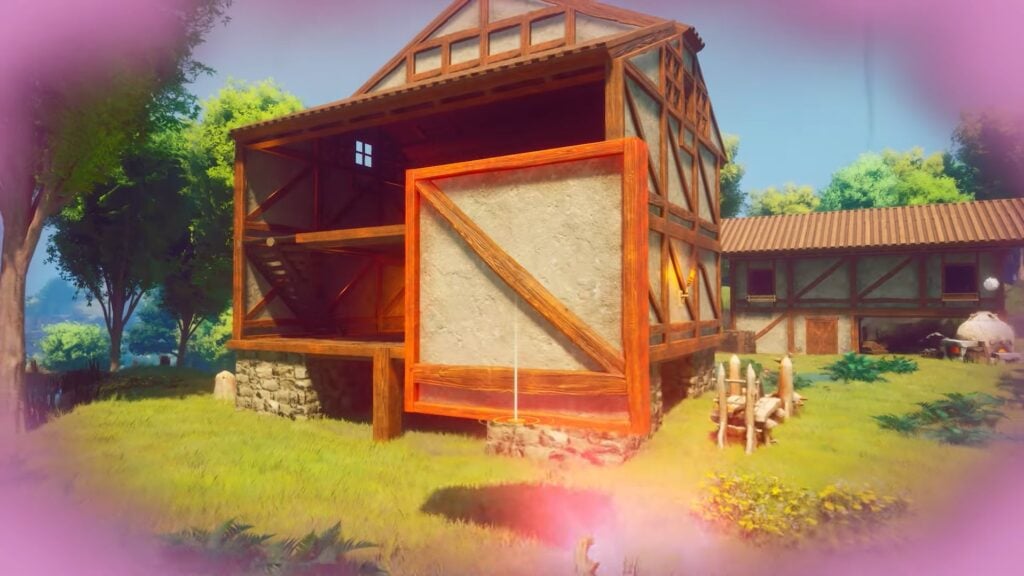
Build different structures in RuneScape Dragonwilds using the required materials to progress. You can change your mind if you want to move the structure that you built. However, this doesn’t come easily as the game lacks the ability to move any item. However, you can use another method to get the structure to your desired place. Picking up containers like chests or cupboards is difficult. Ensure you’re in Build Mode and select the structure by clicking on it. Choose the Delete option to confirm the deletion when prompted. Collect all the materials that fall on the ground to rebuild a new one. In this guide, we’ll discuss Build Mode in RuneScape Dragonwilds and how to delete the item and build a new one in a new place.
Build Mode Overview
Build mode in RuneScape is a core feature in RuneScape Dragonwilds that allows you to design and construct your own bases. This mode allows you to collect resources, craft structures, and customize your base according to your survival needs. Base building and construction are essential in this game as they allow you to protect yourself from the goblins of Ashenfall. In most scenarios, you build any structure in the wrong area or location, so you need to move it. Learning how to move your structure in RuneScape Dragonwilds is crucial for every aspect.
Not only can you protect yourself by building, but it also allows you to construct crafting stations to upgrade your gear and add a roof over your head. Build mode makes it easy to design and modify your base layout, including walls, roofs, and interior furnishings. You can use the crafting interface to create structures, furniture, and tools. So, it’s essential to collect materials from the environment to craft building components. Moreover, place various Lodestones around the map to fast travel to different locations to gather specific materials.
Pick Up and Delete Build in RuneScape Dragonwilds
After placing any structure in an area, there’s no button to move it in RuneScape Dragonwilds. The game is missing some key features, as the game is in early access. No key to move the structures is one of the main missing features that the game is facing right now. However, the only way you can move the structure is to delete it permanently and rebuild a new one where you want.
Press the B button to enter the build mode and hit the “T” key to get into the repair mode. After that point, your cursor dot directly at the structure you want to delete. There will be a small text on your screen that shows what you’re currently pointing at. If you’re aiming at the Rune Altar, then it will say “Rune Altar”.
Press the middle mouse button to delete the structure while aiming at it. This allows all your resources you add while building the structure to fall on the ground. This means that you can recoup the cost of it, so you don’t need to use more materials to build a new structure. Collect all the resources and enter the build mode again. Find the structure you just deleted and build it again in a new desired place.
Acquiring all the materials back that you used to build a structure is nice for building expensive houses and decorative bases. You can quickly set down a campfire or during your journey. RuneScape Dragonwilds has a unique crafting system that urges the players to experiment without being punished by using additional resources upon deleting it. You can build up as much as you desire. The more structures you build, the more blueprints and crafting recipes you can unlock. The game makes it easy to move things around and redesign builds, but it’s difficult to remove items. Make sure to collect more materials during your journey to build new items in the game.
How to delete the structure in RuneScape Dragonwilds?
Press the B button to enter the build mode and hit the “T” key to get into the repair mode. After that point, your cursor dot directly at the structure you want to delete. There will be a small text on your screen that shows what you’re currently pointing at. Press the middle mouse button to delete the structure while aiming at it.
Can you get the items back after deleting the structure?
Yes, you can refund the items after deleting the structure that you built. Collect all the fallen materials from the ground to add them to your inventory.
That is all related to the Build Mode Guide in RuneScape Dragonwilds.
The post Build Mode Guide RuneScape Dragonwilds appeared first on Nintendo Smash: Video Games News, Reviews & Guides.
No responses yet