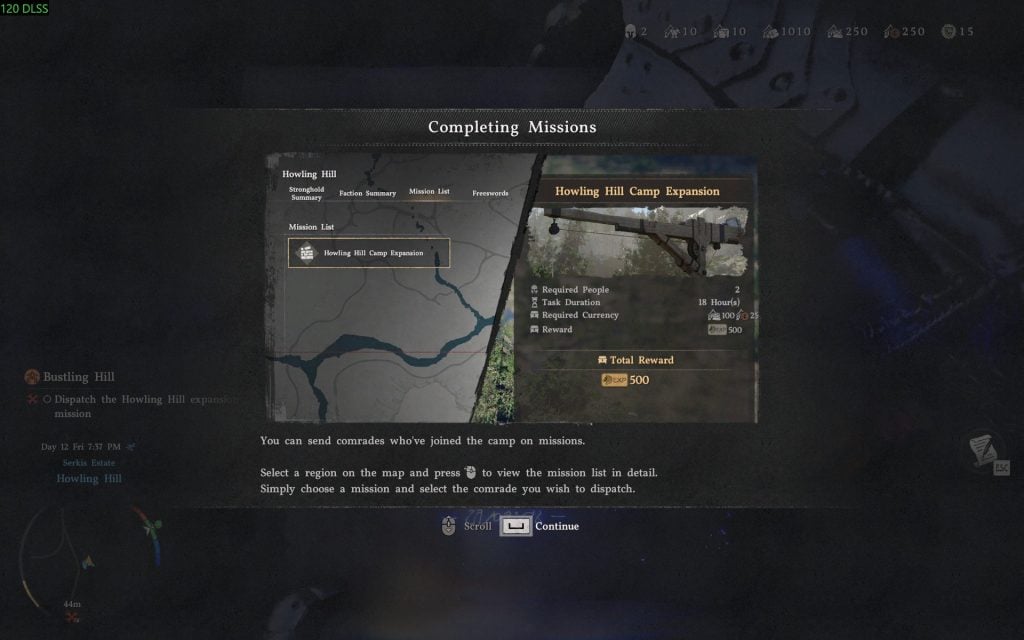
Crimson Desert has numerous features that you will learn and unlock as you progress through the main story. One of the main features in the game is developing your camp at the Howling Hill. Upon reaching Chapter III: Howling Hill, you will unlock the Greymane Camp. This is the main camp for you and your Greymane folks. As you progress further in the chapter, you will unlock the dispatching feature to gather resources. However, it can be confusing, especially if you do not read the introduction carefully. In this guide, we will tell you how to dispatch the Howling Hill expansion mission in Crimson Desert.
How to Dispatch the Howling Hill Expansion Mission – Crimson Desert
Dispatching is one of the actions to develop the Greymane Camp at the Howling Hill. Upon progressing through Chapter 3, you will get the “Dispatch the Howling Hill Expansion Mission” objective. This is the tutorial for you to learn how you can dispatch the freeswords to get wood, food, and other resources. Now, to complete this objective, you have to do these simple steps.
Open the Map.
Navigate to either the “All” or “Factions” section.
Zoom into the Greymane Camp at the Howling Hill location.
Press the Inspect button prompt, it is LMB on PC.
Here, you will see the details of the camp. Now, navigate to the “Missions” tab.
Select the “Howling Hill Camp Expansion” mission.
Now, select one of the comrades you want to send, and then press the “Dispatch” button prompt. It is F on PC.
That is all you have to do to trigger the dispatch mission. Now, you have to wait for the “Expand Howling Hill” mission to complete. It will take about a day (in-game). To do it quickly, head to the tent at the camp and sleep for 12 hours. It will push the completion to 66%. After that, just wait or do some exploration until the mission is completed.
The post How to Dispatch the Howling Hill Expansion Mission in Crimson Desert appeared first on Nintendo Smash: Video Games News, Reviews & Guides.
No responses yet