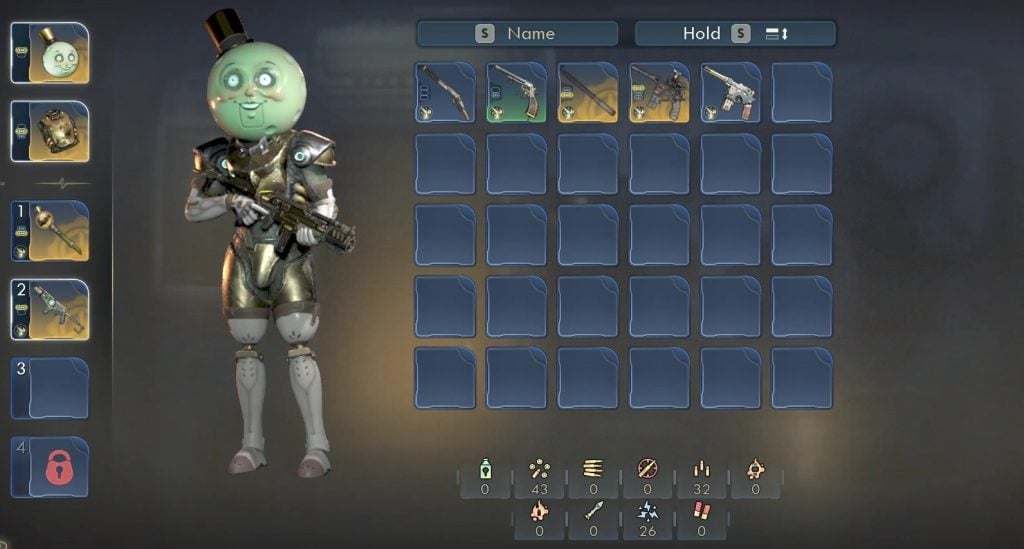
The Commander, the player’s character, starts with two weapon slots initially in The Outer Worlds 2. Players can change the equipped weapons freely to use the preferred one in combat. There are various weapon types, and each weapon type offers several weapons. Not only that, but weapons also come in different rarities. The higher the rarity, the better it will be than its regular version. Now, with tons of options in choosing various weapon types, the two weapon slots would feel lacking. Moreover, the game does not tell you how to unlock the extra weapon slots. In this guide, we will tell you how to unlock all weapon slots in The Outer Worlds 2.
How to Unlock Weapon Slots in The Outer Worlds 2
There are four weapon slots in total, allowing players to equip four different weapons at a time in The Outer Worlds 2. Players will have two weapon slots available initially. Unlocking the rest of the weapon slots requires a couple of methods, one for each slot. For one of the slots, you would have to unlock the Commando Perk, and for the final slot, you would have to add the Extra Holster (Mod) to your Helmet gear item.
Unlock the Commando Perk – Third Weapon Slot
The Commando is a respective perk for the Melee or Guns Skill in The Outer Worlds 2. You can get it quite early, right after the prologue. Put 1 Skill Point either in the Guns or Melee Skill, and then unlock the Commando Perk. The Commando Perk unlocks an additional weapon equipment slot. You will be able to equip a third weapon of your choice in the slot.
Acquire and install the Extra Holster Mod – Fourth Weapon Slot
Now, for the final weapon equipment slot in the Outer Worlds 2, you would have to install the Extra Holster Mod on your Helmet. The first step to do this is to find the Extra Holster Mod. There are two early locations where you can get the Extra Holster mod for free.
From the Landing Dock of Paradise Island, head down the main road on the left to come across a couple of bodies at the start. One of the bodies will have the Extra Holster mod on it.
The second location is inside a shop in Fairfield on Paradise Island. It is the first city that you will visit in the game. The shop is directly in front of the main building in the city, where you get your first main quest. There will be a vending machine and a workbench outside the shop. Head inside the shop and open the door at the back. Go inside and steal the Extra Holster mod from the shelf.
As you loot the Extra Holster Mod, you will unlock its recipe as well, requiring 25x Cloth to craft it at a workbench. Now, the next step is to install the mod on your Helmet gear item. Make sure that you are wearing a good Helmet item that you want to keep for a long time.
Go to the Workbench and navigate to the Mods section. Change the tab to the Helmet and select the headgear item you want to put on the Extra Holster mod. Once done, accept the installation, and you will unlock the final Weapon Equipment Slot.
The post How to Unlock All Weapon Slots in The Outer Worlds 2 appeared first on Nintendo Smash: Video Games News, Reviews & Guides.
No responses yet